
Mansion walk-in
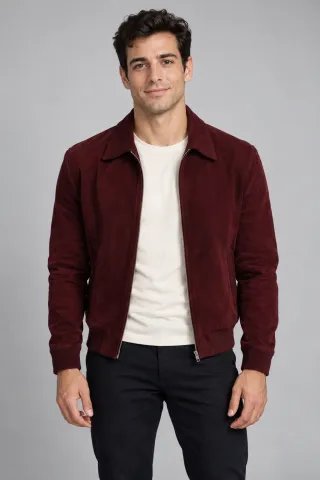
The lead walks through the mansion interior toward the party. Clothing and silhouette matter, so choose an upper-body photo with a visible outfit.
AI VIDEO GENERATOR
Walk into a mansion party as the lead performer, look into the camera and leave the guests in the background.
What you need
POPSTAR AI
Justin Bieber performs the lead role in the POPSTAR music video. This short scene focuses on the mansion hallway entrance, eye contact with the camera and party guests behind the lead.
THE SCENE
THE SCENE
The lead walks through the mansion interior toward the party. Clothing and silhouette matter, so choose an upper-body photo with a visible outfit.
The performer looks into the lens while the hands and expression stay in rhythm with the scene.
Party guests, lights and the setting belong to the scene. Only the lead role is assigned to your photo.
HOW IT WORKS
Add one clear upper-body portrait.
Review the 10-second portrait or landscape scene and credit cost in Studio.
Sign in, check the credit cost and create your video.
PHOTO GUIDE
Use one well-lit, front-facing upper-body image. Avoid sunglasses, masks, group photos and heavy face filters. The face needs to stay recognizable through turns and close-ups.
FAQ
No. Start with one clear portrait.
The lead walks through a mansion hallway and performs toward the camera.
This scene has one lead role and accepts one photo.