You take the lead
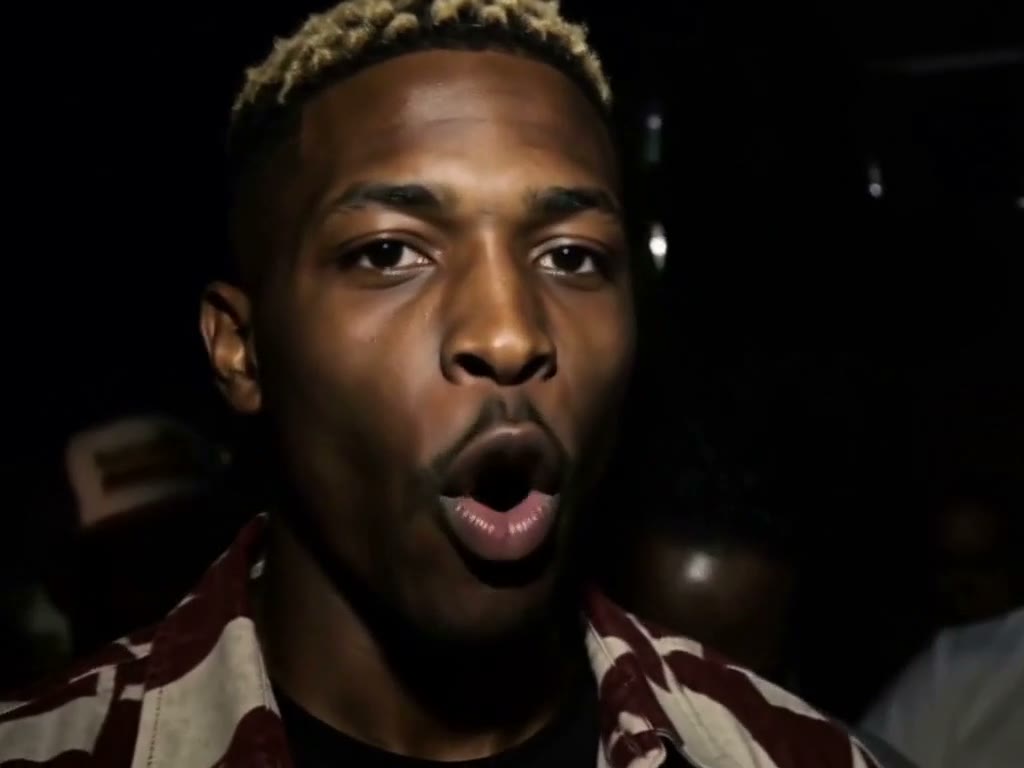
One upper-body portrait defines the lead’s face, hair and outfit. People in the background stay separate.
PARK FREESTYLE
One photo puts you in front of the crowd. Take the lead in a 10-second park freestyle.
SHUT UP
Stormzy Shut Up AI puts the person in your photo at the front of the park freestyle from Stormzy’s “Shut Up.” The original red-tracksuit lead performs to camera with friends behind him. In Rapframe, one portrait recasts that foreground role in a 10-second clip, guided by the reference gestures, camera movement and performance sound while the backing crowd stays in place.
One upper-body portrait defines the lead’s face, hair and outfit. People in the background stay separate.
The selected reference guides gestures, head turns and camera movement through one continuous 10-second shot.
The delivery flow uses audio from the same reference segment. There is no new lyric or rap-topic field.
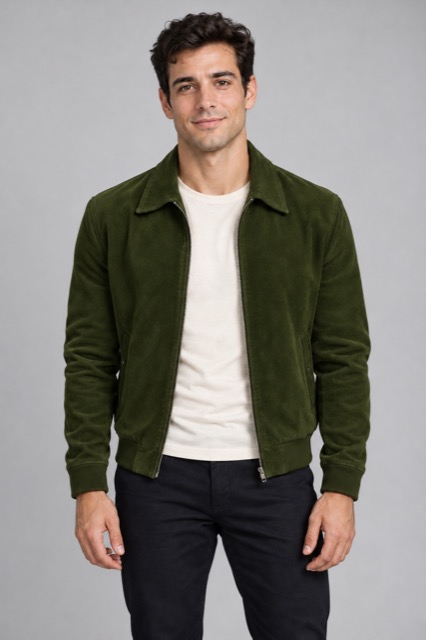
Upload one clear, front-facing upper-body photo with your hair and shoulders visible.
In Studio, choose 10 seconds, portrait or landscape, and 720p or 2K. Landscape best matches the reference.
Review the face, gestures and background people, then preview the sound and download.
Choose a single-person photo of yourself or someone who agreed to appear. Avoid sunglasses, masks, hands covering the face, heavy filters and group photos. Visible clothing and shoulders help define the recast performer.
One. This template replaces only the foreground lead and does not cast a second person.
Yes. The finished clip includes the selected reference performance sound. This template uses a fixed soundtrack; custom lyrics and songs are not available.
Yes. This sample was generated from the olive-jacket portrait shown here, with the reference performance sound retained. Details can vary between generations.
No. Rapframe provides this fixed scene and reference in your browser. Add one portrait and choose your video settings without installing CapCut or uploading a motion-reference clip.
The duration is fixed at 10 seconds. Landscape 16:9 is the default, with portrait 9:16 also available. Output options are 720p and 2K.
No. Rapframe is independent and is not affiliated with Stormzy, his label or the original production.
RAPFRAME